Organizations
Workspaces, members, billing, and memory.
V12 has two kinds of workspaces: a personal one for solo work, and organizations for teams. Both run audits, store findings, and learn from your review decisions. They differ in who can see them, who pays, and whose decisions shape future runs.
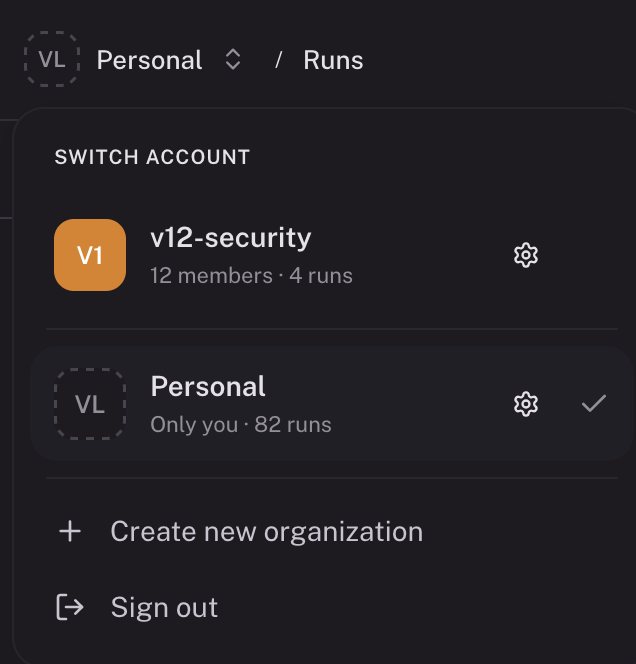
Personal vs organization
| Personal | Organization | |
|---|---|---|
| Who sees runs | Only you | Everyone in the org |
| Who pays | You | Shared org balance |
| Who triages findings | You | Anyone in the org |
| Memory builds from | Your decisions | All members' decisions |
| GitHub repositories | Public repos, plus private repos you connect | Repos owned by the linked GitHub org |
Your personal workspace is created when you sign in. You can create or belong to multiple organizations. Switch between them from the org switcher at the top-left. Personal is the right place for evaluating V12, scanning side projects, or anything that shouldn't appear in your team's run list.
Which workspace owns a repository
A GitHub repo owned by a linked GitHub organization belongs to that V12 organization. Starting a run from the wrong workspace prompts you to switch first. This keeps each repo's findings, costs, and history in one place.
In this section
- Creating an organization: set up a workspace and connect GitHub.
- Members and access: roles, invites, sole-owner rule.
- Billing: credit balance, buying, transferring.
- Memory: how V12 learns from your team's review decisions.
- Data privacy: zero data retention.